How to Track Car Maintenance: The Complete Guide
Most car owners remember their first oil change and forget every one after that. A consistent maintenance log is one of the cheapest forms of car insurance — it prevents missed services, proves value at resale, and gives you a clear picture of what your car actually costs to own.
In this guide we compare every tracking method available and show you how ServiceSage Auto makes it effortless — whether you drive a brand-new SUV or a 10-year-old daily driver.
Why Tracking Car Maintenance Matters
A complete service history does four things no other habit can match:
- Prevents missed intervals: Oil changes, tire rotations, and fluid flushes all have windows. Miss them and you accelerate wear on components that cost thousands to replace.
- Increases resale value: A documented service history gives buyers confidence and lets you ask more. Private-party vehicles with records sell faster and for 10–15% more than identical cars without them.
- Catches patterns early: When you log every service, you notice when brake pads are wearing faster than expected or when a fluid keeps needing topping off — both early warning signs of bigger issues.
- Simplifies warranty claims: Dealerships and extended warranty providers require proof of maintenance. Digital logs with dates and mileage eliminate disputes.
5 Methods for Tracking Car Maintenance
1. Glove Box Paper Records
The default method for most drivers. Keep every receipt and inspection sheet in a folder in your glove box. It costs nothing and requires no setup. The downside: receipts fade, folders get lost in moves or accidents, and there's no way to search or get reminders.
- Best for: Drivers who always use the same shop and want zero tech.
- Biggest risk: Total loss if the car is stolen, flooded, or sold without transferring the folder.
2. Spreadsheets
A Google Sheets or Excel log gives you searchable, backed-up records. You control the columns — date, mileage, service type, cost, shop — and can build your own reminder formulas. The tradeoff is manual entry every time and no mobile-friendly interface.
- Best for: Detail-oriented owners comfortable with spreadsheets.
- Biggest risk: Inconsistent updates. Most people start strong and stop after a few months.
3. OBD-II Bluetooth Monitors
Plug-in adapters (like those used with Torque Pro or Car Scanner) pull live data from your car's onboard computer. They track engine health, read fault codes, and log driving patterns automatically. They don't record shop services, costs, or manually performed work.
- Best for: DIY mechanics who want engine diagnostics alongside basic logging.
- Biggest risk: Data stays on your phone — no cloud backup, no resale-ready history report.
4. Manufacturer Apps
Toyota, Honda, Ford, and GM all offer first-party apps that sync with your car's Maintenance Minder or OnStar system. They send interval reminders and can pre-fill service records. Coverage is limited to vehicles from that manufacturer and connectivity varies by model year.
- Best for: Single-brand households with newer vehicles (2018+).
- Biggest risk: Useless the moment you switch brands or buy a used vehicle outside the supported window.
5. Dedicated Maintenance Apps
Apps built specifically for maintenance logging — like ServiceSage Auto — handle the full picture: log any service on any vehicle, track costs, set mileage and date reminders, and export a clean history report. They work across multiple vehicles and multiple drivers.
- Best for: Any driver who owns more than one vehicle or wants a complete, portable history.
- Biggest risk: Minimal — the main commitment is spending 30 seconds logging a service after each visit.
Tracking Methods Compared
| Method | Reminders | Multi-Vehicle | Resale-Ready Export | Cost |
|---|---|---|---|---|
| Paper records | No | Difficult | No | Free |
| Spreadsheet | Manual | Yes | No | Free |
| OBD-II monitor | Engine only | One at a time | No | $25–$100 hardware |
| Manufacturer app | Yes | Same brand only | Limited | Free |
| ServiceSage Auto | Yes | Yes | Yes | Free to start |
What to Log for Every Service
Regardless of which method you use, capture these fields every time your car is serviced:
- Date of service
- Odometer reading at time of service
- Service type (oil change, tire rotation, brake pad replacement, etc.)
- Parts used (brand, part number if applicable)
- Shop name and technician if relevant
- Total cost including labor and parts
- Next due date or mileage for this service
- Notes on anything unusual the tech mentioned
How to Use ServiceSage Auto
ServiceSage is built for drivers who want complete records without the friction. Here's how the workflow looks:
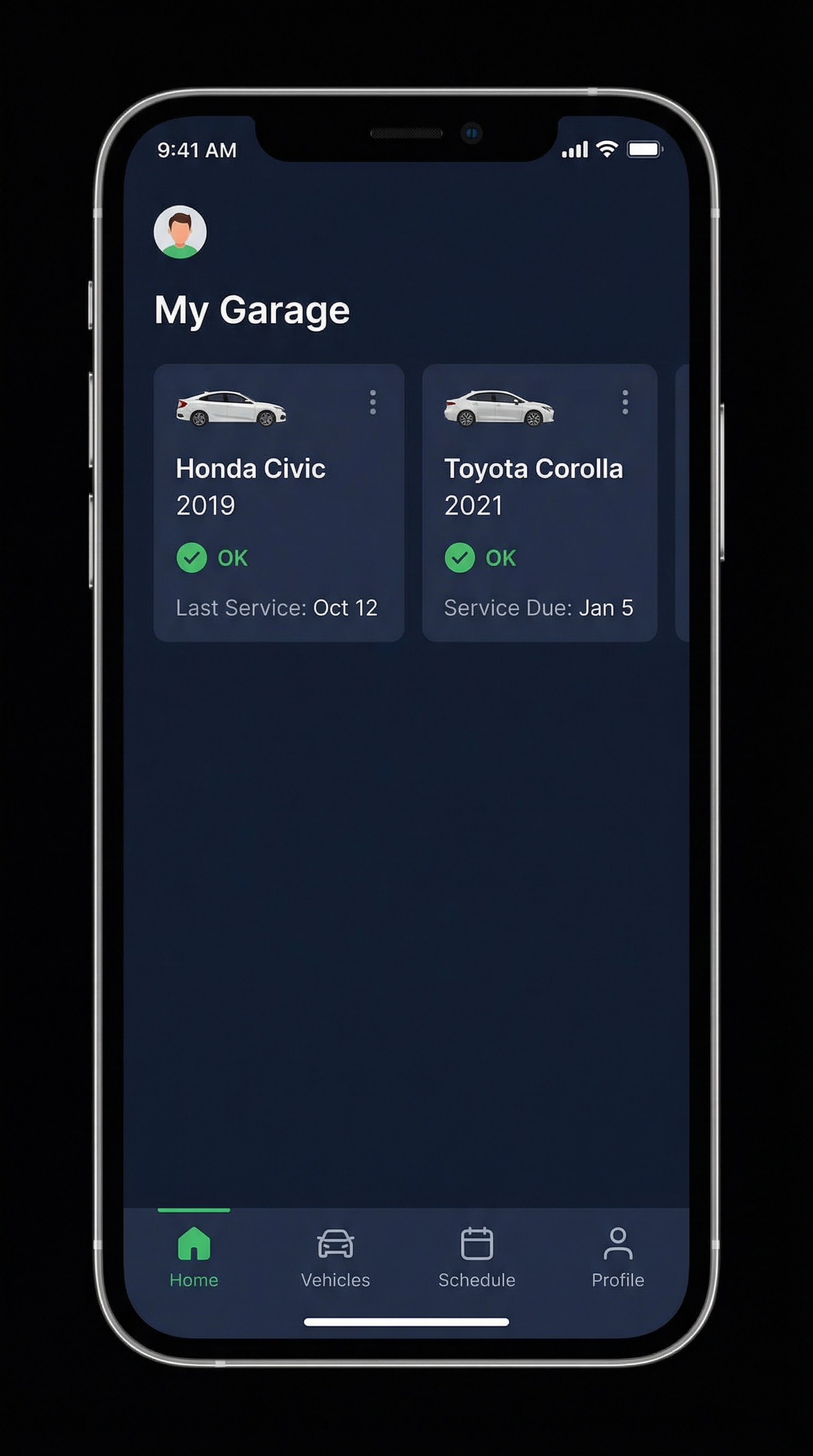
- Add your vehicles: Year, make, model, current mileage. Takes under a minute.
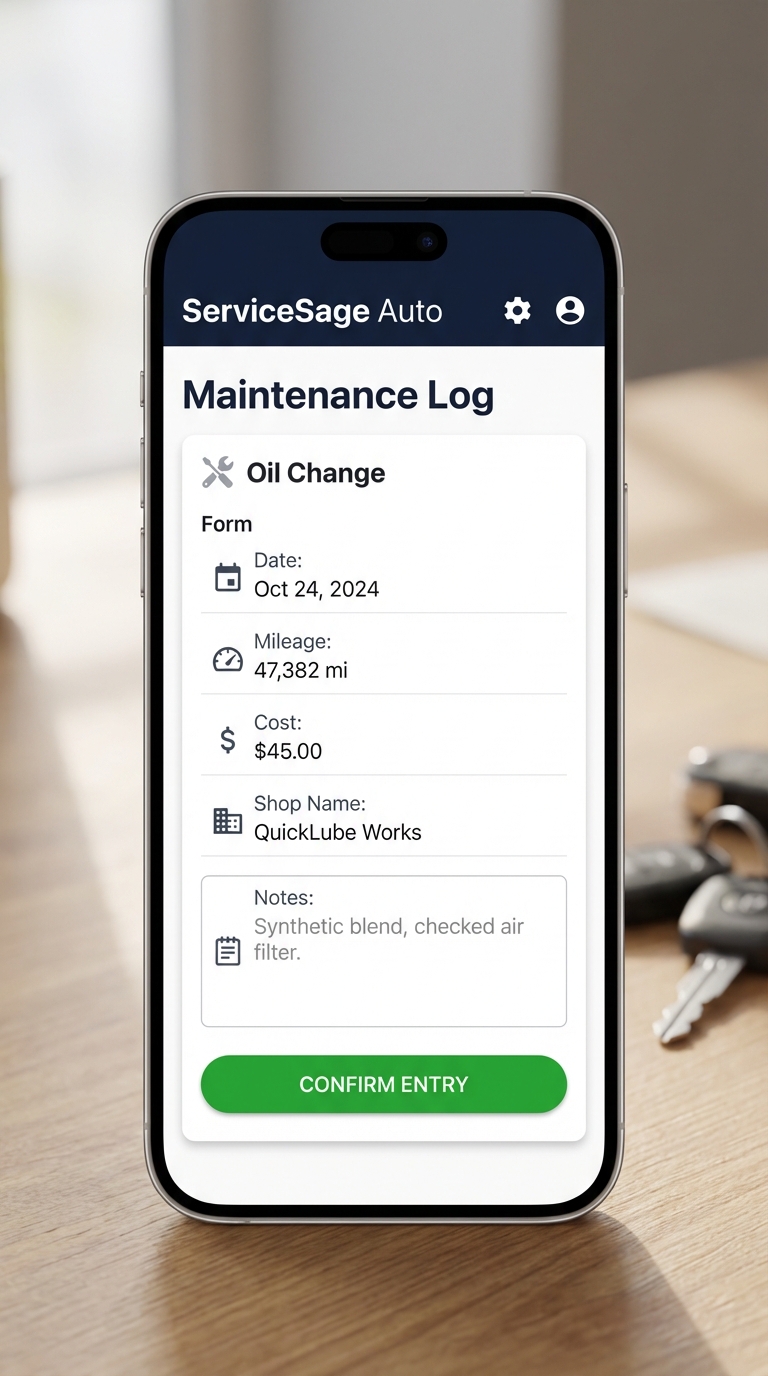
- Log a service: Tap the service type, enter the date, mileage, cost, and shop. ServiceSage auto-calculates the next due interval based on your vehicle's OEM schedule.
- Set reminders: Choose mileage-based, date-based, or both. You get a push notification before the interval hits — not after.
Viewing Your Maintenance Schedule
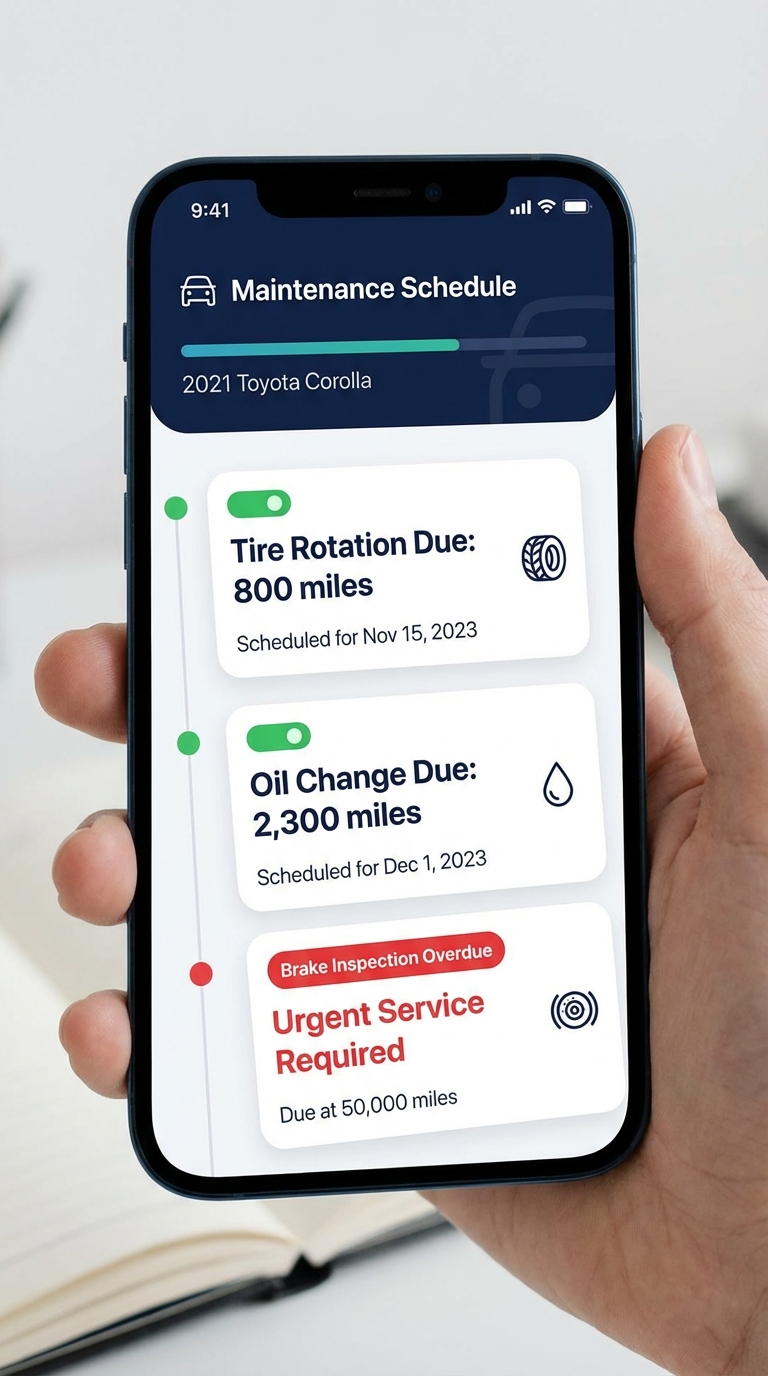
The schedule view shows every upcoming and overdue service across all your vehicles in a single list. Overdue items appear in red, services due within 500 miles in yellow, and completed items in green. When you're shopping for a used car, you can create a vehicle entry and check whether its service history has any obvious gaps.
Maintenance Intervals Worth Setting Reminders For
| Service | Typical Interval | Risk if Skipped |
|---|---|---|
| Oil & filter | 5,000–7,500 miles (synthetic) | Engine wear, sludge buildup |
| Tire rotation | Every 5,000–7,500 miles | Uneven wear, early replacement |
| Cabin air filter | 15,000–25,000 miles | Poor HVAC airflow, allergens |
| Engine air filter | 15,000–30,000 miles | Reduced fuel economy |
| Brake fluid | Every 2–3 years | Moisture absorption, reduced stopping power |
| Transmission fluid | 30,000–60,000 miles | Slipping, premature failure |
| Coolant flush | 60,000 miles / 5 years | Corrosion, overheating |
| Spark plugs | 30,000–60,000 miles | Misfires, poor fuel economy |
Paper vs. Digital: Which Should You Use?
Paper has one advantage: it requires no account, no app, and no battery. For a single-vehicle household that never sells privately, it works fine. Digital wins everywhere else:
- Search: Find any service entry in seconds vs. digging through a folder.
- Backup: Cloud sync means a stolen or totaled car doesn't erase your records.
- Reminders: Automated alerts before you miss an interval, not after.
- Export: Generate a shareable PDF history report for a buyer in one tap.
- Multi-vehicle: Manage a household fleet — spouse's car, teenage driver — from one account.
Start Tracking Today
The best maintenance log is the one you actually use. ServiceSage Auto is free to start — add your vehicle, log your last oil change, and set your next reminder in under two minutes. Your future self (and future buyer) will thank you.
Create your free account at servicesageauto.com and start building a service history that lasts the life of your car.